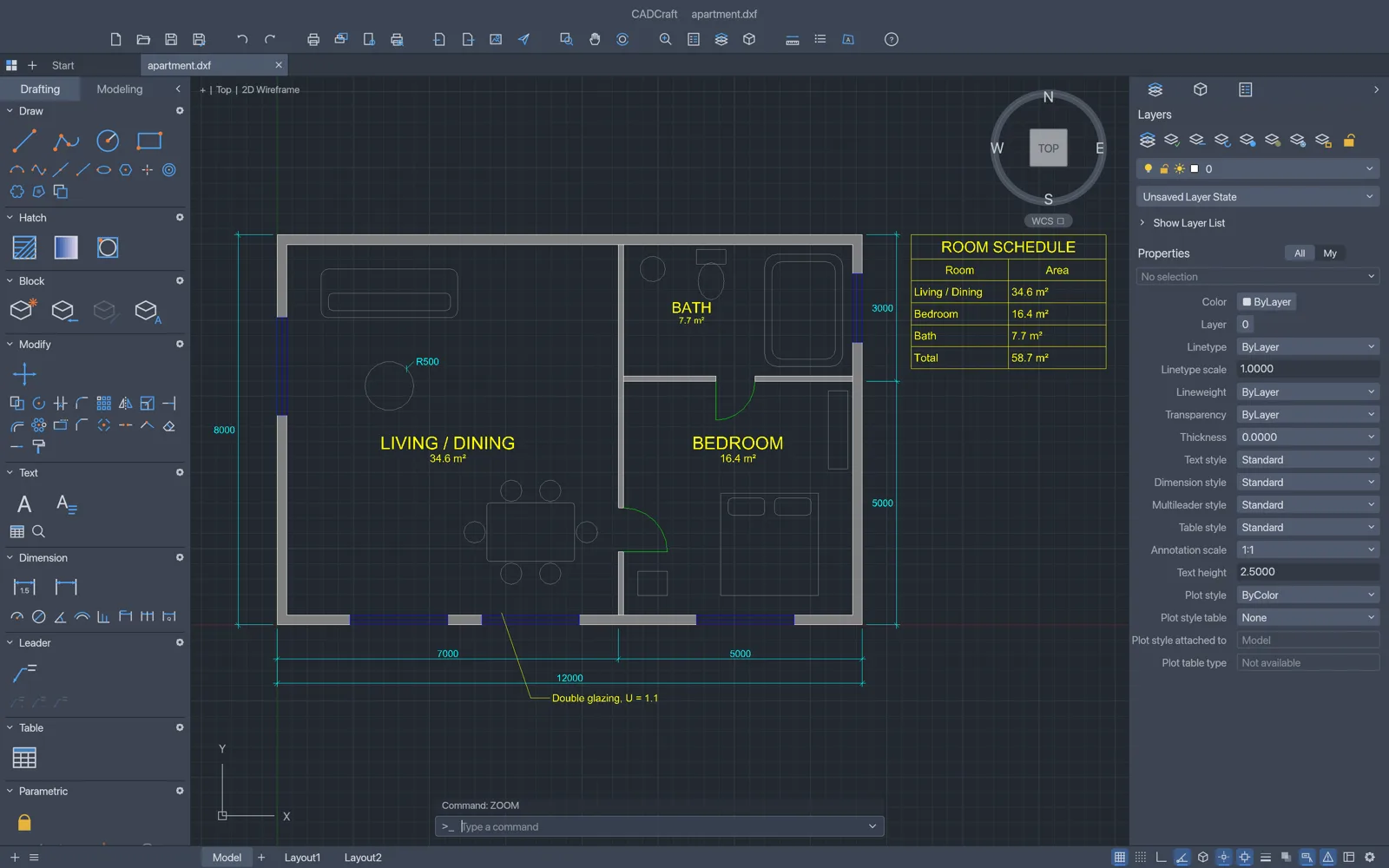
What you can do with CADCraft
- Open supported DXF drawings and inspect their 2D geometry.
- Draw and edit lines, circles, rectangles and plain text.
- Use layers and drafting controls, then save a supported drawing format.
CADCraft FAQ
What is CADCraft?
CADCraft is an online 2D CAD and DXF editor. Use drafting commands, layers, and dimensions to inspect existing drawings or create precise 2D geometry.
Can I open and edit DXF drawings online with CADCraft?
Yes. Open a supported DXF drawing and check the geometry and layers after import. Save a separate copy once you have made your changes.
When should I choose CADCraft as my online 2D CAD and DXF editor?
Choose CADCraft for inspecting or revising supported 2D DXF drawings in a browser. Use the desktop workflow when you need DWG support or desktop plotting features.
How do I get started with CADCraft online?
Open the CADCraft editor in your browser. Open a supported DXF or start a drawing using the native editor. Check the layers, view and geometry before making changes with the drawing tools.
What can I draw with CADCraft in the browser?
Use the drafting tools to create and edit lines, circles, rectangles, and plain text, and use layers and dimensions to organize and document the geometry.
Can CADCraft AI edit my 2D drawing?
Yes, for supported model-space commands such as adding basic geometry or moving eligible entities. Blocks, constraints, and protected layers can limit which objects it can change.
Is CADCraft free on EasyRunCraft?
Yes. You can use CADCraft for manual editing on EasyRunCraft without creating an account. For optional AI features, use shared credits.
How do I save and download a CADCraft drawing?
Save your drawing in a supported format such as DXF. Reopen the downloaded copy to check its geometry and layers before sending it to someone else.
