Updated October 14, 2026. Written for EffectCraft 0.9.2 (what changed since).
EffectCraft renders all of these in the browser, with the same encoders as the desktop app. Nothing is uploaded: the composition renders on your computer and the file downloads.
Which format keeps the transparency?
| Format | Alpha | Best for | Watch out for |
|---|---|---|---|
| ProRes 4444 (.mov) | Yes, up to 16-bit | Handing an overlay to a video editing app | Large files; EffectCraft switches to 4444 on its own when you ask for alpha |
| WebM, VP9 (.webm) | Yes | Websites viewed in Chrome, Edge and Firefox | Safari shows it without transparency; WebM with AV1 has no alpha |
| PNG sequence (.zip) | Yes | Other compositors, game engines, frame-by-frame fixes | One file per frame, downloaded as one .zip |
| QuickTime Uncompressed (.mov) | Yes, 8-bit | Handing frames to an encoder of your choice | Very large files |
| Animated GIF | On or off per pixel | Simple flat graphics, stickers | 256 colors per frame; soft edges get jagged |
| H.264, HEVC, AV1 (.mp4) | No | Finished videos | RGB + Alpha quietly renders as opaque |
For an overlay you will drop into another editor, ProRes 4444 is the safe choice. Apple's ProRes documentation lists 4444 and 4444 XQ as the only ProRes flavors with an alpha channel, stored losslessly at up to 16 bits. The price is file size: ProRes is built for editing quality, so keep WebM for anything that has to load on a web page.
Render it step by step
- Leave the background empty. Delete or hide any full-frame solid or footage behind your graphic. The composition's background color is not rendered when you output alpha, so the viewer color doesn't matter.
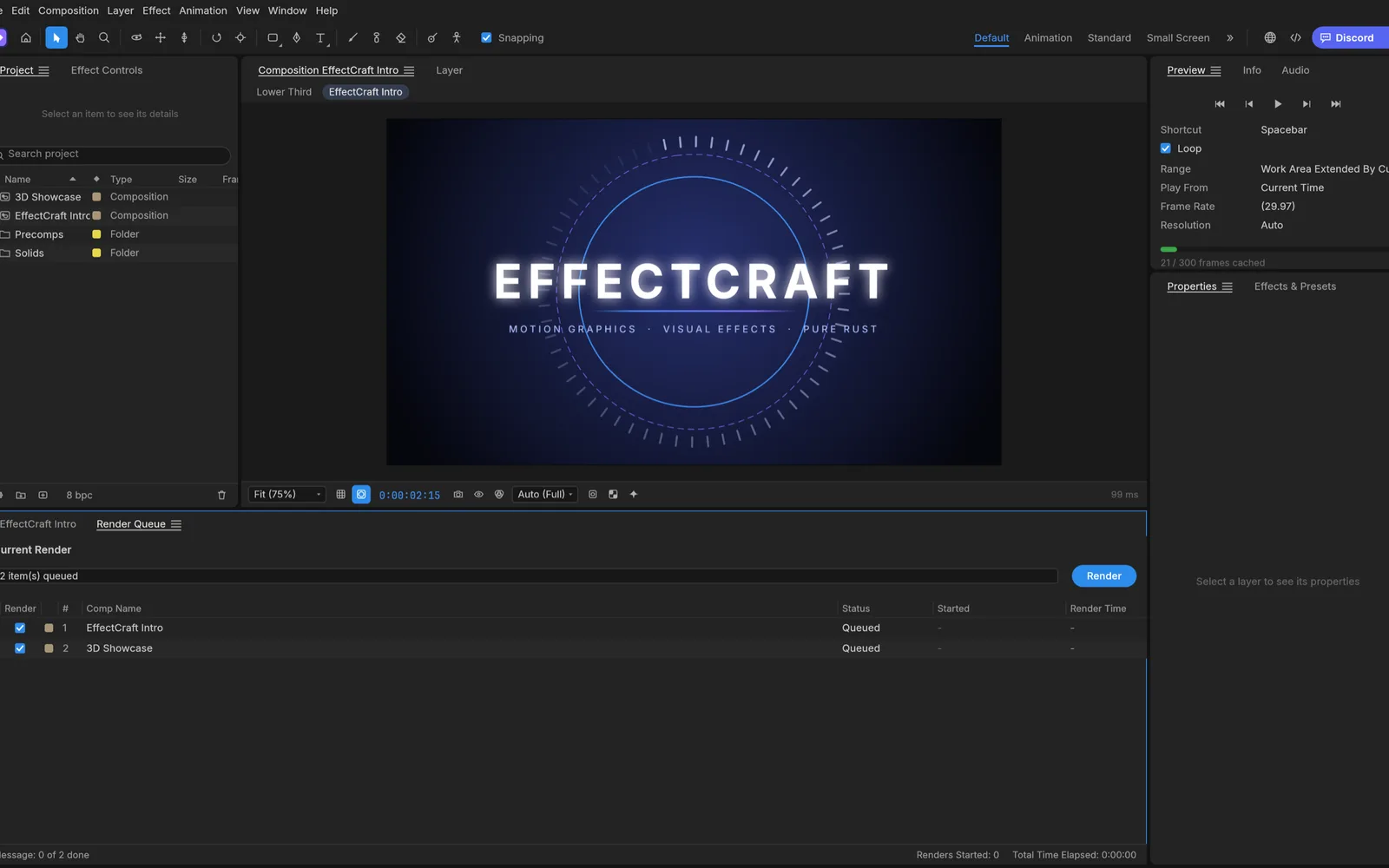
- Queue the comp. With the composition open, choose Composition › Add to Render Queue.
- Pick the format. Click the Output Module and set Format to QuickTime (ProRes), WebM (VP9 + Opus), PNG Sequence or Animated GIF.
- Turn on alpha. Set Channels to RGB + Alpha. For ProRes, EffectCraft writes Apple ProRes 4444 whenever alpha is on, even if the profile menu still says 422 HQ; choose 4444 XQ there if you want the larger, higher-quality flavor.
- Leave Color on Straight unless the program you are handing the file to asks for premultiplied (see below).
- Render. The file downloads when it finishes, and the editor stays usable while it renders in the background. A PNG sequence arrives as a single .zip.
Then check the result where it will be used. Import the file into your editor, put it on a track above some footage and look at the edges. If you see the footage through the empty areas, the alpha made it.
Straight or premultiplied?
Both store the same transparency, but they store the color of semi-transparent pixels differently. Straight keeps the full color and lets the alpha say how much of it shows. Premultiplied stores the color already mixed with black in proportion to the alpha. A program that reads one as the other gets the edges wrong: premultiplied read as straight leaves a dark fringe around soft edges, glows and motion blur.
Straight is EffectCraft's default. Choose premultiplied only when the receiving tool says so, or when a dark halo shows up and the importer has no setting to fix it. OpenEXR sequences are always premultiplied, as the format expects.
Why can't an MP4 be transparent?
H.264, HEVC and AV1 in MP4 carry only color: there is no place in those streams for a fourth channel. If you set Channels to RGB + Alpha with one of them, EffectCraft renders an ordinary opaque video over the comp background color. Apple has an HEVC variant with alpha that Safari plays, but EffectCraft doesn't write it.
Transparent video on a web page
WebM with VP9 alpha plays with transparency in Chrome, Edge and Firefox. A muted, looping video is enough for most animated stickers and backgrounds:
<video src="badge.webm" autoplay muted loop playsinline></video>Safari decodes VP9 but not its transparency. WebKit's bug 275908 describes VP9 with alpha playing "with a grey background rather than transparent," and it was still open in October 2026. If your audience includes iPhones and Macs, there are two ways around it from EffectCraft. For shapes and text, export a Lottie animation instead: it is vector and has no background of its own (see making a Lottie animation without After Effects). For small, flat graphics, an animated GIF works everywhere, as long as the hard edges and the 256-color limit are acceptable.
When you only need the matte
Some workflows want the transparency as a separate black-and-white video: a matte for another compositor, or the key half of a broadcast fill-and-key pair. Set Channels to Alpha and EffectCraft renders the alpha channel alone as an opaque grayscale matte, in any format, MP4 included. Render the same comp again with RGB for the fill.
A quick checklist before you send the file
- No full-frame layer is covering the background.
- Channels says RGB + Alpha, and the format is ProRes, WebM (VP9), PNG, TIFF, EXR, QuickTime Uncompressed or GIF.
- The file plays transparent in the program that will use it, and soft edges show no dark rim.
- For the web, you have a fallback for Safari visitors.
Need something to put on that transparent layer? Our guide to animating text online starts from an empty comp, and the AI tools can generate cut-out elements with transparent backgrounds.