Updated October 14, 2026. Written for DesignCraft 0.7.1 (what changed since).
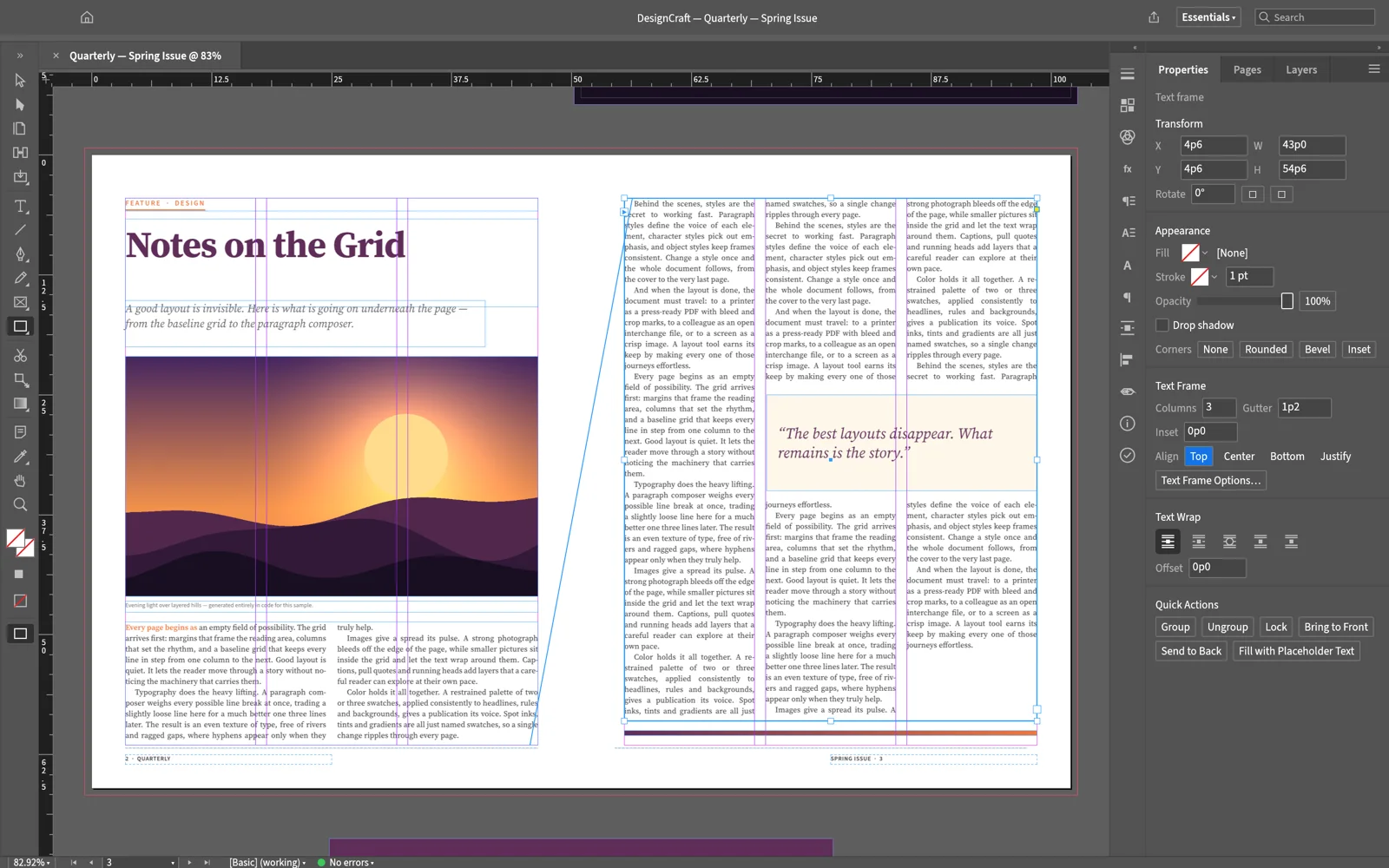
Open the editor and drag the .idml onto the canvas. It opens as a new document tab with its pages, frames, threaded stories and styles, ready to edit. It costs nothing, needs no account, and the file is read on your computer, not uploaded. Two things usually need work afterwards: fonts, because the browser version has only five, and linked pictures, which an IDML doesn't carry. When you are done, File › Export IDML… writes a file an InDesign user can open and File › Export PDF… makes a PDF.
Steps
- Open the editor at easyruncraft.com/designcraft/editor. The first visit downloads the app, about 9 MB; later visits open it from the browser cache.
- Open the file. Drag the .idml onto the canvas, click Open on the start screen, or choose File › Open….
- Check the fonts. Type › Find/Replace Font… lists every font the document uses with the missing ones flagged, and replaces a missing font with one you have. Window › Output › Preflight Document lists missing fonts alongside overset text and missing pictures.
- Put back linked pictures. Pictures embedded in the IDML come in with it. Linked pictures, the usual case in InDesign, are separate files that a web page can't reach. Select each empty picture frame, choose File › Place… and pick the image; it fills the frame in proportion.
- Edit. Change text with the Type tool (T), move frames with the Selection tool, and change styles in the Paragraph Styles and Character Styles panels.
- Save. File › Save downloads a .designcraft file you can open here again. The browser version has no autosave, so save before you close the tab.
What comes through
The importer reads the parts most layouts are built from:
- Page size, facing pages, bleed, margins and columns
- Pages, spreads, parent pages and layers
- Text frames, graphic frames and shapes, with stories threaded across frames
- Paragraph, character and object styles, and swatches
- Tables, footnotes, cross-references and index entries
- Japanese, Chinese and Arabic text
What looks different from InDesign
Fonts. The browser version has Source Serif 4, Source Sans 3, Inter, JetBrains Mono and BIZ UDPGothic for Japanese, and can't use fonts installed on your computer. Text set in anything else is drawn with a substitute, which changes its width, so lines break in new places. Swap the font in Find/Replace Font, or use the desktop app, which uses your installed fonts. One quirk applies to both: InDesign sometimes writes a font name with an $ID/ prefix ($ID/Arial), and DesignCraft lists that font as missing even when it is installed.
Reflow. DesignCraft sets text with its own composer. Optical kerning falls back to the font's own kerning, so imported text sets a little wider, and a frame counts as overset when the descenders of its last line don't fit, where InDesign only needs the baseline to fit. Together they move line breaks, can add a page, and leave text overset. If a story now runs long, the AI panel's Rewrite my text can fit pasted copy to a word count, using EasyRunCraft credits.
Missing frames. On some files exported from InDesign 2026, a few text frames aren't drawn at all, and nothing warns you. A PDF from the sender is the quickest way to spot one.
Threading. Stories threaded in the IDML stay threaded. What you can't do yet is link a new frame into a story by clicking its out port; the developers list it as the top gap before alpha.
Sending it back to an InDesign user
File › Export IDML… writes an IDML package that opens in InDesign 2026, with styles, threaded stories, tables and footnotes. Round trips of large client documents haven't been measured yet, so send the edited IDML together with a PDF from File › Export PDF…, and keep the original. For print settings such as PDF/X-4 and crop marks, see how to export a print-ready PDF.
If you were sent an .indd instead
DesignCraft doesn't open .indd, InDesign's own format; it is the largest file-format gap on the project's list. Photopea and Adobe Express do open .indd files, but as a layered image and as an Express design, not as a layout with threaded stories and styles. To keep editing, ask the sender for an IDML (in InDesign, File › Export, format InDesign Markup (IDML)). The options, and what to ask for, are in how to open an INDD file without InDesign. For other files a designer might send, such as PSD, AI or EPS, this lookup table lists a free app for each format.
Before you rely on an opened file, check four things against the sender's PDF: Find/Replace Font shows no missing fonts, every picture frame is filled, Preflight shows no overset text, and the page count matches.