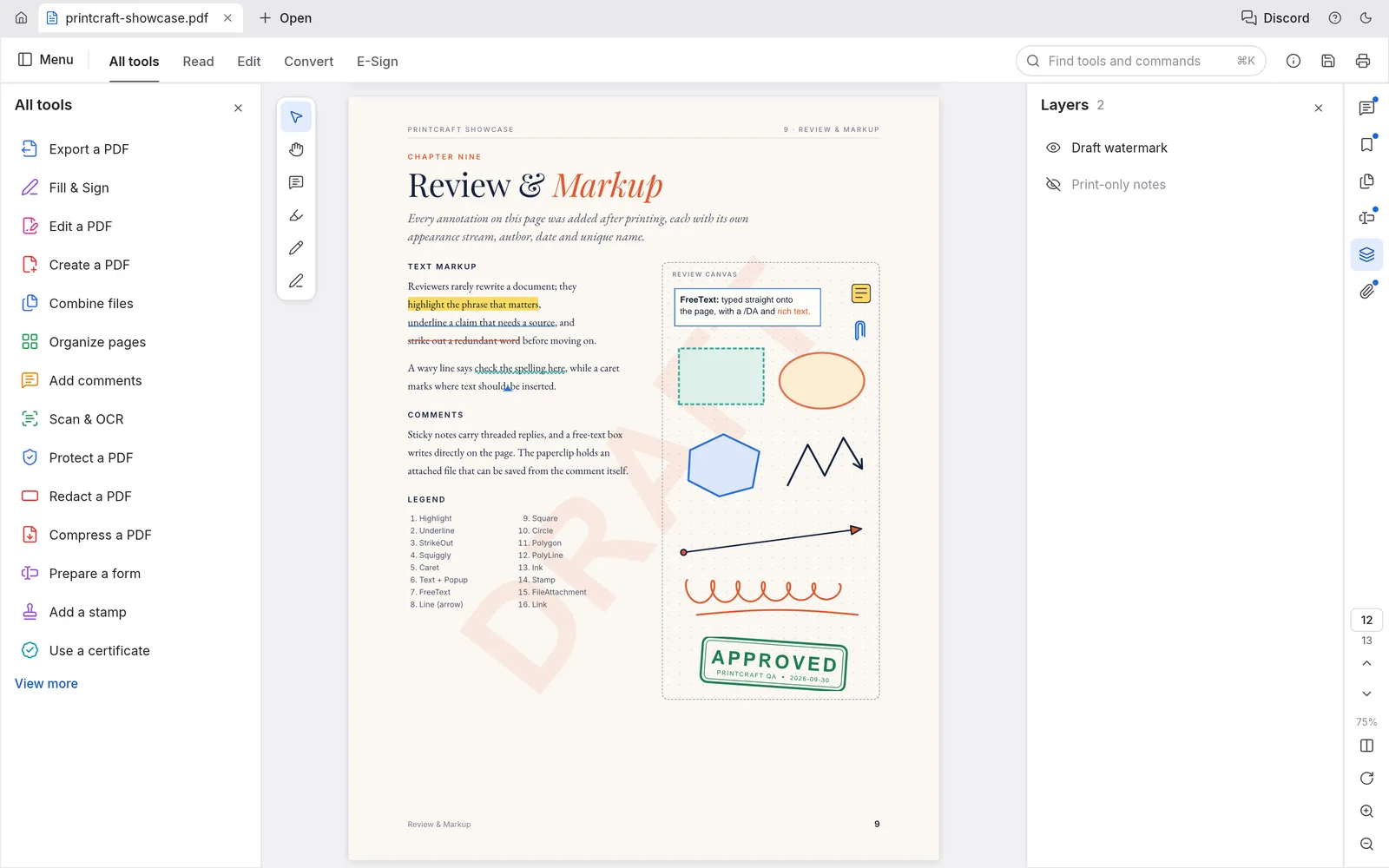
What you can do with PdfCraft
- Read and organize PDF pages in one workbench.
- Fill supported forms and add comments or annotations.
- Make supported text and page edits, then save a copy of the PDF.
PdfCraft FAQ
What is PdfCraft?
PdfCraft is an online PDF editor for reading and organizing pages, filling supported forms, adding annotations, and making supported edits before saving a copy.
Can I edit PDF text online with PdfCraft?
PdfCraft can change certain existing text lines and add text boxes. Text editing depends on permissions, fonts, and whether the page contains editable text.
When should I choose PdfCraft as my online PDF editor?
Choose PdfCraft when you want to make supported changes to an existing PDF, such as reorganizing pages or filling a form. Use an OCR or secure redaction tool when that is the main task.
How do I get started with PdfCraft online?
Open the PdfCraft editor in your browser. Open a file from your device in the editor and check the pages. Use the native PDF tools, or ask the Agent for a supported edit.
Can I fill forms and add comments in PdfCraft?
Yes. Use the available form fields and annotation tools on supported PDFs. Check the saved copy before submitting a completed form.
Can PdfCraft AI answer questions and edit a PDF?
Yes. Questions return answers in chat. When you request a supported edit, the Agent can apply it to the open document, such as rotating a page.
Is PdfCraft free on EasyRunCraft?
Yes. You can use PdfCraft for manual editing on EasyRunCraft without creating an account. For optional AI features, use shared credits.
How do I download an edited PDF from PdfCraft?
Save or export a copy from the editor, then open the downloaded PDF to check its pages, form values, and annotations.
